On this page
No verified redemption system or active code is published.
Device categories







Brands



















What the official sources establish
The official Steam description frames ReStory as a shop where players restore nostalgic electronics, purchase parts, and return repaired devices to customers. The developer’s Atari device post adds a concrete example of the kind of retro hardware the team chose to feature. That is enough to describe the device-oriented fantasy, but not enough to claim a complete roster or a fixed progression order.
Use the current device brief
When a customer brings in a device, use the job brief and the object currently shown in the shop as the source of truth. Read the requested outcome before ordering parts, then inspect the device and confirm that the available action matches the job. If a device label or prompt differs from an older guide, preserve the new wording in your notes rather than forcing it into an old name. Before handing the item back, run the in-game test the job asks for and capture the completion state in your record.
Browse six device categories
This fan-made visual recognition index groups the repair bench into game consoles, cell phones, audio players, cameras, appliances, laptops, and an all-devices view. It is a browsing aid, not an official or complete device catalog. Use a family as a shortcut, then match the exact device name and customer request shown in your current job. A category does not guarantee that every model uses the same screws, parts, tools, or firmware steps.
Use the brand index to identify a device
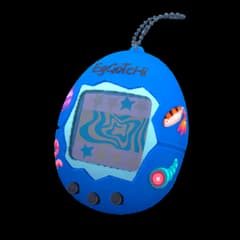
The fan-made brand gallery shows Atari, Autorolla, Blueberry, BreadBox, Brick Game, Eggotchi, Game Duck, IDM, Mandragora Guitar Legend, Mapple, Nerdio, Nony, Palaloid, Patento, Pokia, Robby, Simsons, Unicorp, Wertu, and XI-box. It is a visual recognition aid rather than a first-party roster. These labels can help identify a job or device, but the current customer brief remains the source of truth for the repair. Do not transfer a real-world specification or another model's part list to a similarly shaped in-game device.
What the Atari devlog confirms
The official Atari device devlog connects a named real-world license with ReStory's repair setting. It confirms that Atari hardware is part of the game's nostalgic device lineup, while the live job still determines the condition, requested work, and completion check. The post does not provide one universal Atari repair sequence, so follow the prompts on the exact model in front of you.
Avoid brand-name assumptions
ReStory’s nostalgic setting may evoke real electronics, but fictional in-game labels and real-world specifications are not interchangeable. Do not assume a real device’s voltage, media format, controller, or repair method applies inside the game. Only the current job prompt, official documentation, or a reproducible test can establish what the simulated device requires. A real product listing is not evidence that the same component exists, fits, or has the same price in ReStory.
How to use this device list
Start with the category, match the brand, and then read the customer brief before opening the device. If the visible label differs from an older screenshot or guide, follow the wording in your current version. The index is designed for recognition and navigation; it does not replace model-specific inspection, disassembly, cleaning, reassembly, and testing prompts.
Model-by-model routes are still pending
The categories and brand labels above do not establish a complete model count or a universal repair sequence. Exact parts, screw counts, prices, unlock conditions, and per-model steps remain pending confirmation unless the current job or an official source states them. For any unfamiliar device, use its visible name and prompts rather than filling the gap with a plausible real-world match.
Sources and references
Open the original pages below to re-check prices, patches, platform support, or other details that may change after this guide was updated.