On this page
No verified redemption system or active code is published.
Appliances
Match the in-game artwork to the model named in your current customer brief. These cards identify the device and category; model-specific repair steps, part lists, prices, and unlock conditions remain pending confirmation.
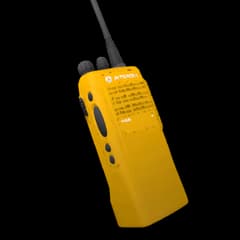
Autorolla WT2000
Repair route: pending confirmation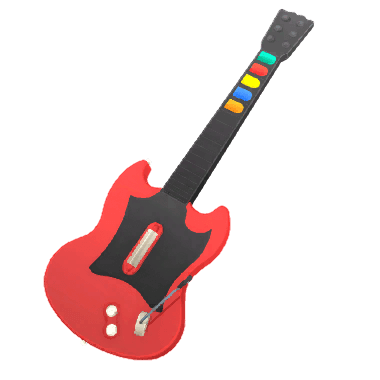
Guitar Legend
Repair route: pending confirmation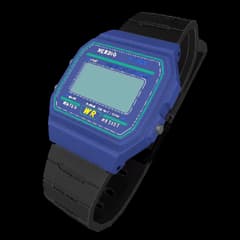
Nerdio W-91F
Repair route: pending confirmation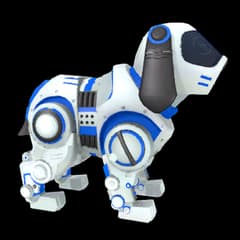
Robby
Repair route: pending confirmation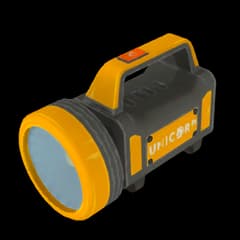
Unicorp 99L
Repair route: pending confirmation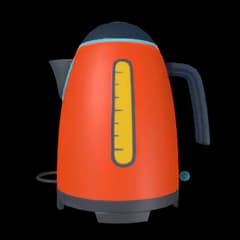
Unicorp Kettle
Repair route: pending confirmation
Unicorp Vision
Repair route: pending confirmationOfficial ReStory game artwork © Mandragora. Presented here in an independent fan-made visual index. No ownership or endorsement is claimed.
What is in the appliances index?
This page collects the 7 named appliances entries currently represented in the ReStory device index. The in-game artwork is presented for visual recognition, so you can match a customer job to the model shown on the bench. The list does not claim a hidden roster, an unlock order, or a universal repair recipe.
Match the current job before repairing
Use the visible model name, the customer request, and the current device prompt together. Read the requested outcome before purchasing parts, then follow the actions shown in the current game build. A similar shape or real-world product name is not evidence that two in-game models share parts, screws, prices, tools, or firmware steps.
- 01
Identify the model from the artwork and the label shown in your current job.
- 02
Read the customer brief and confirm the requested outcome before opening the device.
- 03
Inspect the device and use only the parts, tools, and prompts shown for that job.
- 04
Test the finished repair before handing it back to the customer.
What this index does not verify
The catalog confirms names and category placement for browsing, but it does not establish a complete model-by-model walkthrough. Exact parts, screw counts, prices, license requirements, unlock conditions, and rewards remain pending confirmation unless a current job or first-party source states them. Keep those details tied to the version and device in front of you instead of carrying assumptions from another model.
Official ReStory game artwork © Mandragora. Presented here in an independent fan-made visual index. No ownership or endorsement is claimed.
Sources and references
Open the original pages below to re-check prices, patches, platform support, or other details that may change after this guide was updated.